

AI GIF Generator
Turn any image into a GIF.
Upload a still picture. The AI writes the motion, renders the animation, and hands back a looping GIF and the source video together.
 Input
Input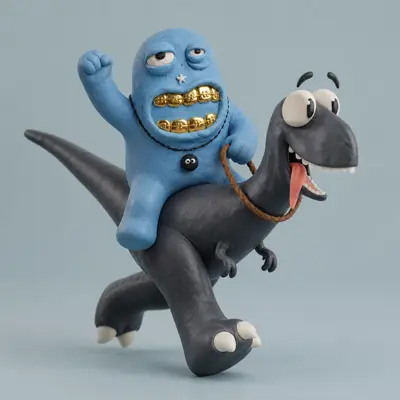 Input
Input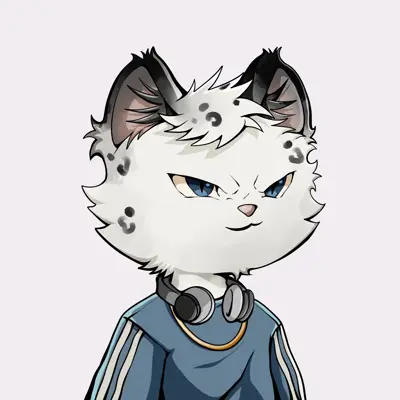 Input
InputHow it works
Four steps, and three of them are waiting.
- 01
Bring one image
A photo, a render, an illustration, or the PFP you already use. There is no footage to shoot and nothing to storyboard.
- 02
The AI writes the motion
It reads what is in the frame and decides what should move, how far, and in which direction. Ask it to keep the picture exactly as it is and move only the hair or the water, or put the character in motion. Take its plan or describe your own in a sentence.
- 03
Watch it render
Pick square, portrait 3:4 or landscape 4:3, at the same price. A 480p loop lands in about two minutes. Push the same generation to 720p or 1080p when the detail is worth it.
- 04
Take the GIF and the video
Both formats come out of the same run, with a high-quality GIF export sitting on the result. Nothing gets converted anywhere else.
~2 min
per 480p loop
GIF + MP4
from one run
4-8s
clip length
10 credits
standard GIF
Not a converter. A generator.
A GIF converter needs footage that already exists. Here the animation is generated, so the starting point can be a drawing, a render, or a profile picture, anything that was never filmed.
And the motion prompt, the part that decides whether a face warps or holds, is written for you. Upload, look at what the AI planned, change it if you disagree, render. Open Content Studio
AI GIF generator
An AI GIF generator that starts from your picture.
Most AI GIF generators start from a text prompt and invent the whole scene. This one starts from an image you already have, so the character, product or logo in the GIF is the one you uploaded, not a lookalike. The AI reads the picture, writes a motion plan for it, renders a 4 to 8 second clip on a Seedance video model, and hands back a GIF and an MP4 of the same animation, in square, portrait 3:4 or landscape 4:3.
That suits the jobs people bring here: a mascot waving in a Discord server, a product turning on the spot, a portrait that blinks, a profile picture that needs a reaction loop. It suits footage you have already filmed less well. An existing video only needs converting, and any video-to-GIF converter does that.
Three video models cover different budgets. Seedance 2.0 Mini starts at 6 credits for a quick draft. Seedance 2.0 Pro renders the standard 480p loop for 10 credits and goes up to 1080p for 50. Seedance 2.5, on paid plans, starts at 12. Every price is for a 4-second clip, the length that keeps the most detail inside the 8 MB limit most chat apps enforce.
The same upload works across the rest of ReelyArt. Cut the character into transparent stickers with the AI Sticker Maker, size them for Discord or Twitch, or build the whole set of stickers, emotes, GIFs and a banner with the AI Mascot Kit. If you want the still first, make it in AI Studio on any of the 14 image models and animate it here.
FAQ
Before you upload.
Last verified 21 Oct 2026
Can AI really turn a still image into a GIF?
Yes. The model generates the frames in between, so the subject actually moves. It is not a filter laid over your picture. It is a short clip generated from it, packaged as a loop.
Can I make a GIF from text alone, without an image?
Not in one step. The GIF generator animates a picture, because a starting image is what keeps a character or product the same from frame to frame. To start from words, write the idea as a prompt in AI Studio, generate a still on any of the 14 image models (from 1 credit), download it, and upload it here.
Can I turn a video into a GIF with ReelyArt?
No. ReelyArt generates new motion from a still image; it does not convert video files. If you already have the clip, a video-to-GIF converter is the right tool. If you want the moment reimagined instead, take one frame from the video, upload it, and describe the motion you want.
Do I need video editing skills?
No. There is no timeline, no keyframes, no layers. Upload an image, accept the motion the AI proposes or type one sentence, and wait.
What do I get when it finishes?
A GIF and an MP4 of the same animation, plus a high-quality GIF export on the same result. The MP4 carries generated audio unless you switch the sound off before generating; the GIF is silent, as GIFs are. Most tools return one format and leave the conversion to you.
How long can the GIF be?
A slider sets the clip anywhere from 4 to 8 seconds. The price follows the length, so an 8-second clip costs double a 4-second one, and lengths above 4 seconds are part of the paid plans. Four seconds keeps the most detail, because a longer clip has to give up frame rate or colours to stay inside the 8 MB limit GIF hosts expect.
How long does an AI GIF take?
About two minutes for a standard 480p GIF. Higher resolutions take longer because more frames are rendered at full detail.
What does it cost?
A standard GIF is 10 credits and a 1080p GIF is 50 credits. The budget Seedance 2.0 Mini model starts at 6 credits, and the newest model, Seedance 2.5, starts at 12 credits on paid plans. Those prices are for a 4-second clip; the length slider goes to 8 seconds and scales the price with it. Tiers above 480p, and any clip longer than 4 seconds, require a paid plan. New accounts that sign up with Google or X start with 10 free credits.
Is there a free AI GIF generator on ReelyArt?
You can try it free. New accounts that sign up with Google or X get 10 credits, which covers a 4-second 480p GIF on Seedance 2.0 Mini (6 credits) or Seedance 2.0 Pro (10). Longer clips, higher resolutions and Seedance 2.5 need a paid plan.
Can I animate a PFP, a mascot or a character?
Yes, and it is what most people here use it for. The character keeps its colours, traits, and line work while the scene around it moves.
Can I make a vertical or horizontal GIF?
Yes. Choose square (1:1), portrait (3:4) or landscape (4:3) before generating. The scene, the video and the GIF are all made in that shape, so nothing is cropped afterwards, and every ratio costs the same. Portrait suits phone screens and stories, landscape suits headers, slides and chat embeds.
Can it animate my picture without changing it?
Yes. Say "animate this image" or name the part that should move ("only the water", "make her blink") and the composition, background and framing stay exactly as uploaded while that part comes alive. Leave it open and the AI picks the motion itself: a dance or a wave for a character, a tail wag for a pet, a light sweep for a logo.
Can the character walk, run or fly through a scene?
Yes. Ask for a walk, a run, a ride or a flight and the camera travels with the character while the street, the trees or the clouds stream past, instead of the character treading in place. If you want a walk cycle on a plain background, for a sprite or a sticker, say so and it stays in place.
Will the loop actually loop?
The first and last frames are planned to match, so the animation cycles without a visible cut. Ask for a specific looping action and the prompt is written around it; a story such as "the logo types itself in" is turned into a loop that plays and comes back to where it started.
Can I use the GIFs commercially?
Yes. You own the outputs you generate. The full licensing details are in our terms.
Which AI GIF makers give you a GIF directly, without converting an MP4?
ReelyArt's AI GIF Maker returns the GIF and the MP4 from the same run, so there is no conversion step. Image-to-video tools such as Kling, Runway, Pika and Luma generate a short video from a photo and leave the MP4-to-GIF conversion, and the 8 MB size limit most chat apps enforce, to you; here the loop is planned, rendered and sized as a GIF from the start.
Can I make stickers, memes and a banner from the same character as the GIF?
Yes. The image you animate here is the same reference the AI Sticker Maker cuts into transparent PNGs, Content Studio turns into memes, and Header Studio renders as an X header or Discord banner at the exact pixel size. One ReelyArt account, one credit balance, and the character stays recognisable across every format because each tool reads the same upload.